


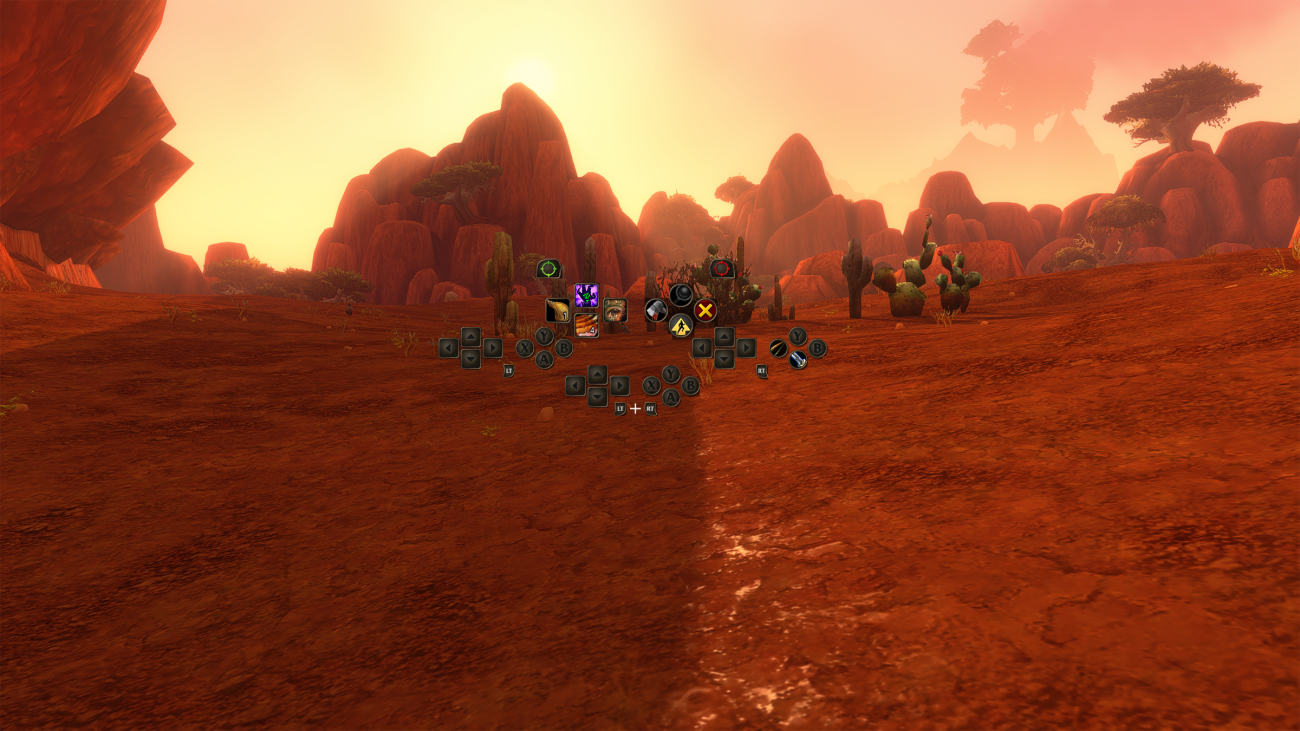
Blizzard has published a full walkthrough of gamepad play in World of Warcraft: Forever. Our earlier coverage of the new version only touched on controller support, and this guide fills in the details: how the controls are laid out, how many abilities fit on a controller and what still needs a keyboard. Support remains in what Blizzard calls a functional beta.
Any XInput-compatible controller works, and the interface can show either Xbox or PlayStation button icons. To switch over, open the Game Menu with Escape, go to Options and pick Gamepad under Gameplay. The Gamepad settings cover the camera, HUD modifier, frame focus style, action bars, targeting and raid targeting. Controllers with supported lighting also glow red for Horde characters and blue for Alliance characters.
How the controls work
Using Xbox names, the basic layout goes like this:
- The left stick moves your character and the right stick controls the camera.
- LB selects a friendly target and RB selects a hostile one, which matters most for healers and tanks picking the right target in groups.
- X interacts, A jumps, B goes back and Y inspects. All four can also hold spells.
- The Menu button opens the Main Menu and the View button changes the focused frame.
The core idea is that holding the triggers swaps bars. There are four action bars that share the same button layout: your default bar, plus bars reached by holding LT, RT or both triggers. Let go and you return to the default bar, and the HUD updates to show what is currently available. Blizzard’s example is a Mage who puts Polymorph on Up, Fireball on LT + Up, Frostbolt on RT + Up and Blizzard on LT + RT + Up. These are only suggestions, and players choose their own bindings.
On top of that, there are three action bar sets, swapped by holding LB + RB and pressing Left or Right on the D-pad. Each set holds 28 slots across its four bars, for 84 customizable slots in total. Players could, for example, keep one set for combat and another for utility abilities.
Shortcuts, menus and what’s still missing
Holding both shoulder buttons also opens a set of HUD shortcuts:
- LB + RB + B opens your backpack
- LB + RB + Up jumps to the quest tracker
- LB + RB + Down goes to chat
- LB + RB + Y manages buffs
The same features are also on the main radial menu. A button legend sits in the top-left corner of the screen and expands to show extra options during certain actions. Most panels show gamepad footers listing their controls, but not all of them do yet. Blizzard says it is still reworking menus and bags to make them easier to navigate with a controller.
Typing in chat still needs a keyboard, so players should keep one nearby. Blizzard says reducing keyboard use is a development goal, with a fully keyboard-free experience as the longer-term aim. More refinements to controller support are planned.
Source: World of Warcraft official news.
